Some links in this article are affiliate links. We may earn a commission
if you sign up or make a purchase. This supports our content at no extra cost.
As an Amazon Associate we earn from qualifying purchases.
TL;DR: Is the Kindle Paperwhite Worth It?
Yes, absolutely. In an age of constant notifications and multi-purpose devices, the Kindle Paperwhite’s greatest strength is its singular focus on reading. Its distraction-free E-ink screen, weeks-long battery life, and massive library make it an essential tool for anyone who wants to read more. It’s not a tablet, and that’s precisely why it excels.
Our top picks
- Kindle PaperwhiteCheck price on Amazon
- Automate the Boring Stuff with PythonCheck price on Amazon
- Python Crash CourseCheck price on Amazon
Overview
Kindle Paperwhite (2026 Outlook) Specs
| Display | 6.8” Paperwhite E-ink display, 300 ppi, glare-free |
| Lighting | 17-LED front light with adjustable warm light |
| Storage | 8GB or 16GB (Signature Edition) |
| Connectivity | Wi-Fi, USB-C |
| Waterproofing | IPX8 (rated to withstand immersion in 2 meters of fresh water for 60 minutes) |
| Battery Life | Up to 10 weeks (on a single charge) |
Design and Feel
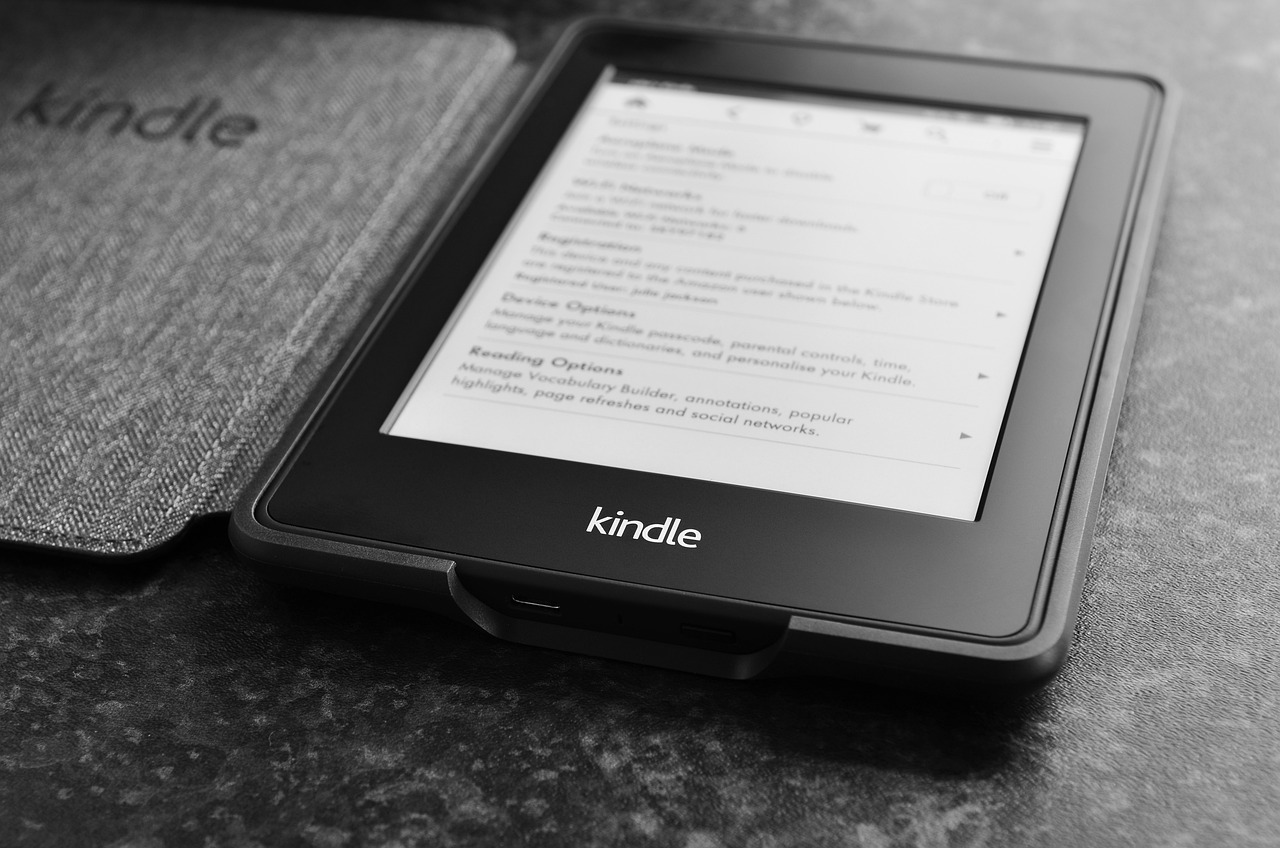
The core design of the Kindle Paperwhite has been refined to near perfection. It’s thin, lightweight, and comfortable to hold for hours. The flush-front screen and soft-touch back feel premium and durable. The matte E-ink display is the star of the show; unlike a glossy tablet screen, it’s completely glare-free, making it perfect for reading in direct sunlight. The IPX8 waterproofing also means you can read worry-free by the pool or in the bath, a feature I test regularly.
Setup and Performance
Getting started is as simple as it gets. You log in with your Amazon account, and your entire Kindle library syncs automatically. The device isn’t built for speed—this is not an iPad. The E-ink screen refreshes deliberately between page turns, a process that is now faster than ever but still not instantaneous. This isn’t a flaw; it’s a feature. The device does one thing—display text—and it does it exceptionally well. Menus are responsive enough, and searching the store or your library is straightforward.
Living with the Paperwhite
This is where the Paperwhite becomes an indispensable part of my daily routine. The battery life is phenomenal; I charge it once every month or two, not once a day. The adjustable warm light is a game-changer for nighttime reading, reducing blue light exposure and preventing eye strain. I’ve been reading dense technical books like Automate the Boring Stuff with Python on it, and the ability to look up words, highlight passages, and make notes without leaving the page is invaluable. It’s a focused, serene experience that a phone simply cannot replicate.
Pros and Cons
- Excellent glare-free E-ink display
- Weeks-long battery life
- Waterproof design for worry-free reading
- Adjustable warm light reduces eye strain
- Access to the massive Amazon e-book library
- Monochrome display is not for comics or magazines
- Slower performance than a tablet
- Locked into the Amazon ecosystem
Alternatives to Consider
The primary competitors aren’t other e-readers, but tablets. The Apple iPad 11-inch: A16 chip, 11-inch Model, Liquid Retina Display, 128GB, Wi-Fi 6, 12MP Front/12MP Back Camera, Touch ID, All-Day Battery Life — Blue is a powerhouse for productivity, media, and web browsing, but its backlit LCD screen can cause eye fatigue during long reading sessions, and its battery won’t last you a week, let alone ten. For families, the Amazon Fire 7 Kids tablet (newest model) ages 3-7. Top-selling 7″ kids tablet on Amazon. Includes ad-free and exclusive content, easy parental controls, 10-hr battery, 16 GB, Purple is a durable, multi-purpose device for games and videos, but it comes with all the distractions the Paperwhite is designed to eliminate.
The Final Verdict
In 2026, the Kindle Paperwhite remains the undisputed champion of focused reading. If you want a device to browse the web, check email, and watch videos, buy a tablet. But if your goal is to read more books without the constant pull of notifications and digital distractions, the Paperwhite is not just worth it—it’s the best tool for the job. It’s a purchase that pays for itself in undistracted reading time.